Install Crush and go from zero to your first prompt in about two minutes.
Install Crush first, any method you like, then come back here. From zero to your first prompt in about two minutes.
1. Pick a model
Run crush and the model picker shows up on first launch. The quickest way to get started is to choose a Hyper model — follow the steps to authenticate and you'll be good to go. You can also press ctrl+l any time to bring the picker back.
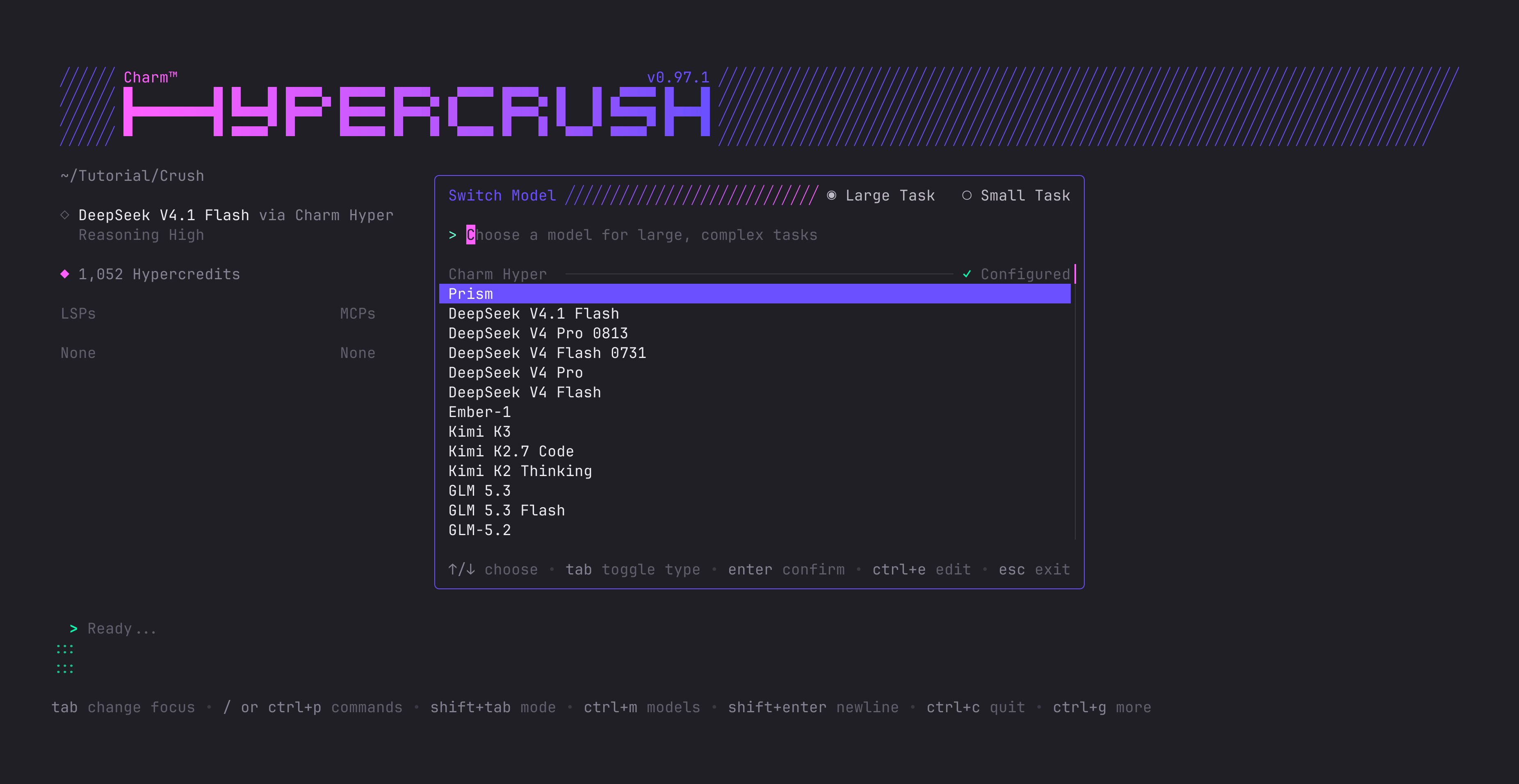
Hyper, from Charm, is the official model provider for Crush. It's built on open-weight models and is optimized for Crush, with an emphasis on high-quality inference. There are subscription and prepaid options, including zero data retention (ZDR). It's also GDPR compliant! More on Hyper.
2. Say hello
Type a prompt and hit enter. At the bottom of the screen is your prompt box — and if you'd rather write a longer message in your editor of choice, ctrl+o opens it in $EDITOR.
Let's have Crush build something. A small CLI that uses Lip Gloss and gives you random facts about pigeons:
Let's design a small CLI in Go with lipgloss that has some neat factson pigeons and then renders a random one whenever the CLI is ranThe permission popup
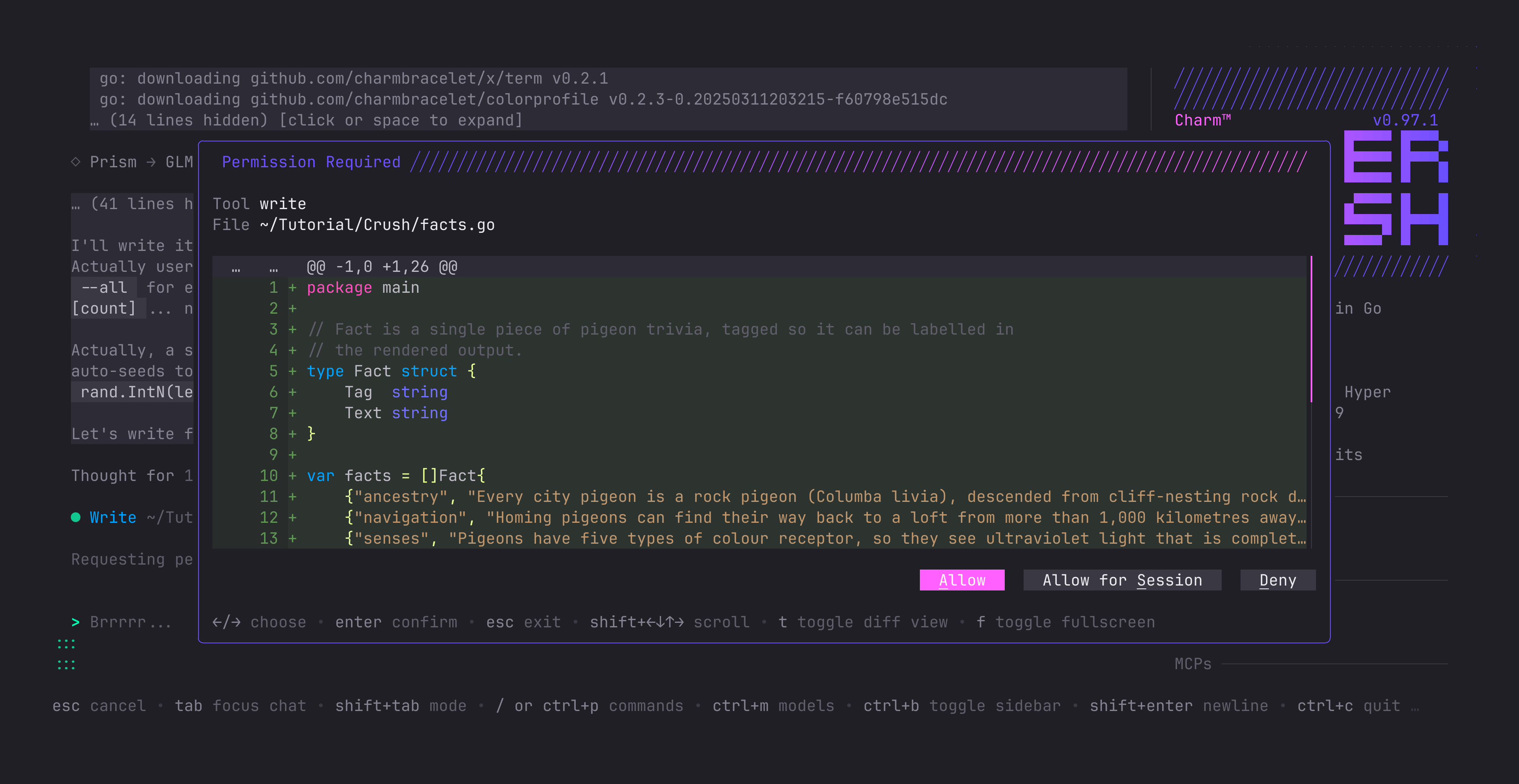
What you'll notice pretty quickly is the permission popup. By default, Crush asks for your permission before running tool calls — file writes, edits, and most commands need your consent first. Switch between the options with the arrow keys, approve for the session or just once, or deny. (Impatient? See Permissions for auto-approving the safe stuff.)
The bash tool additionally runs a small set of read-only commands (ls, pwd, git status, git log, …) without prompting. Crush parses the command to decide, so it applies only when the whole command is provably inert: a redirection, a variable assignment, a command substitution, a pipeline, or an argument that mutates state (git branch -D, git remote set-url) all fall back to the normal permission prompt.
Queue it up
Crush busy? No problem — write out your message and hit enter and it goes into a queue, sent to Crush whenever it becomes free next:
Can you make sure you use some gorgeous #0BC161 in the CLI?It matches the plumage of some pigeons :)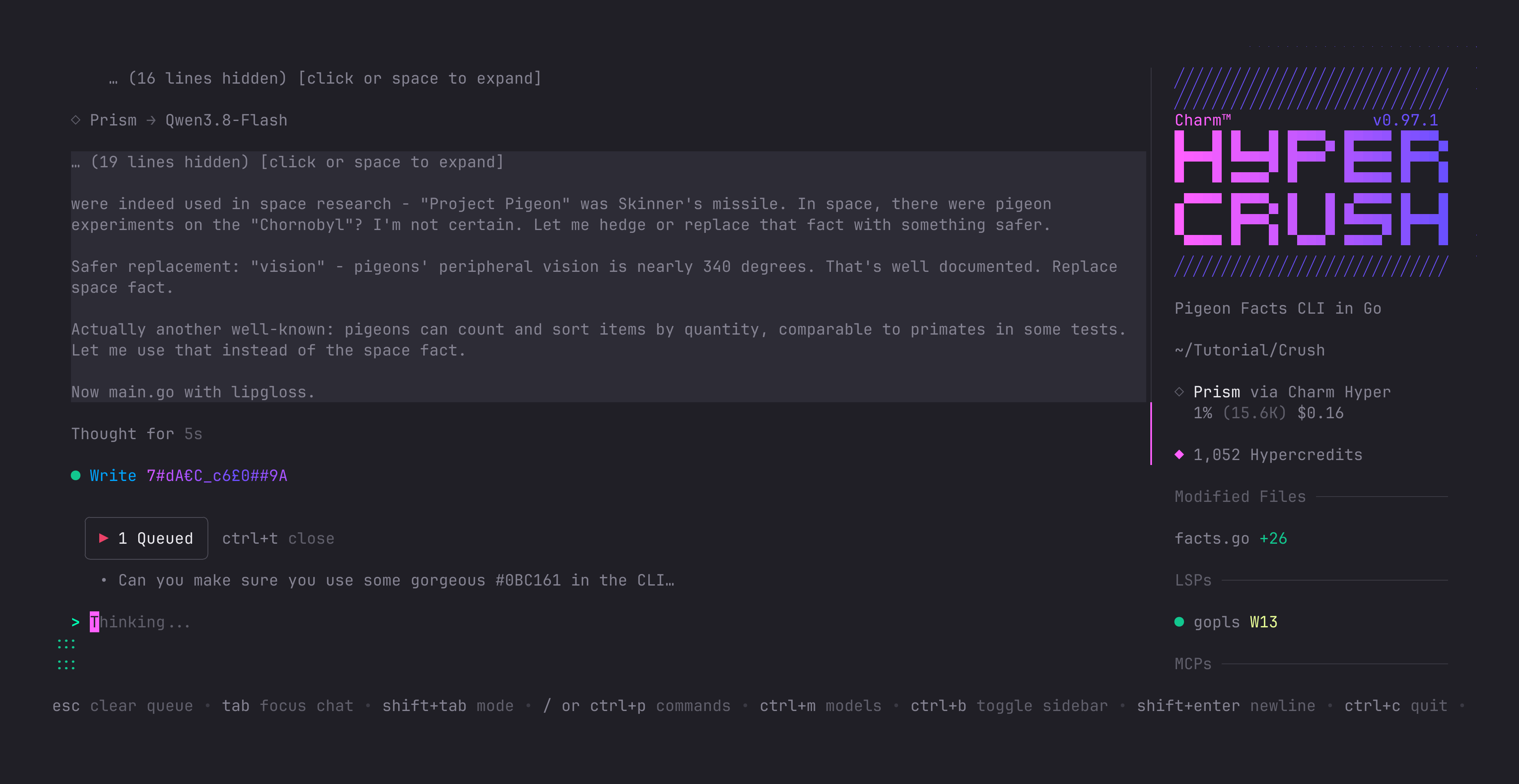
Bring your own provider
Not a Hyper person? No problem. You can also use Crush with many other providers such as Anthropic, OpenAI, Gemini, OpenRouter and so on:
Press ctrl+l to open the model picker.
Choose the provider of your choice.
Paste your API key.
Or skip the picker entirely with an environment variable:
export HYPER_API_KEY="sk-hyper-xxxxxxxxxxxxxxxxxxxxxxxx"See Providers for the full story, including local models.
Read this post in your terminal with glow:glow -p https://crush-docs.fly.dev/docs/getting-started.md